
Instant Remote Access Service
Remote Access Software from baramundi and AnyDesk
Remote Access Service – Fast and Instant
Easily Support End Users with Remote Access
Sometimes there’s no way around tackling a stubborn PC directly. But what if that machine is in a home office or a remote branch, or a sales colleague is at a customer's site and is having problems with their mobile phone? baramundi offers you with Remote Desk and Remote Control the remote access you need — simple, instant, and fast. Support teams get a remote access tool that allows them to interact with target systems directly, just as if they were sitting right in front of them – regardless of whether it is a Windows computer, Android or iOS device.
Your Benefits with Remote Access Service
Cross-platform control and screen sharing
Remote access support without VPN
Immediate session launch from the Management Center
Real-time connections
Support for mobile devices (iOS & Android)
Direct navigation of user access controls
Remote Access Service in Detail
baramundi Remote Desk gives instant remote access for IT support to all devices — whether you have a Windows PC, Android or iOS smartphone or tablet, whether you’re inside or outside your network. With its optimized codec, you can work on target systems without delays — visually supported or controlled.
Secure Connection
Fast and Uncomplicated
Helpdesk Integration
Remote Desk: Cloud Technology
Remote Control: On-Prem Functionality
GDPR Compliance
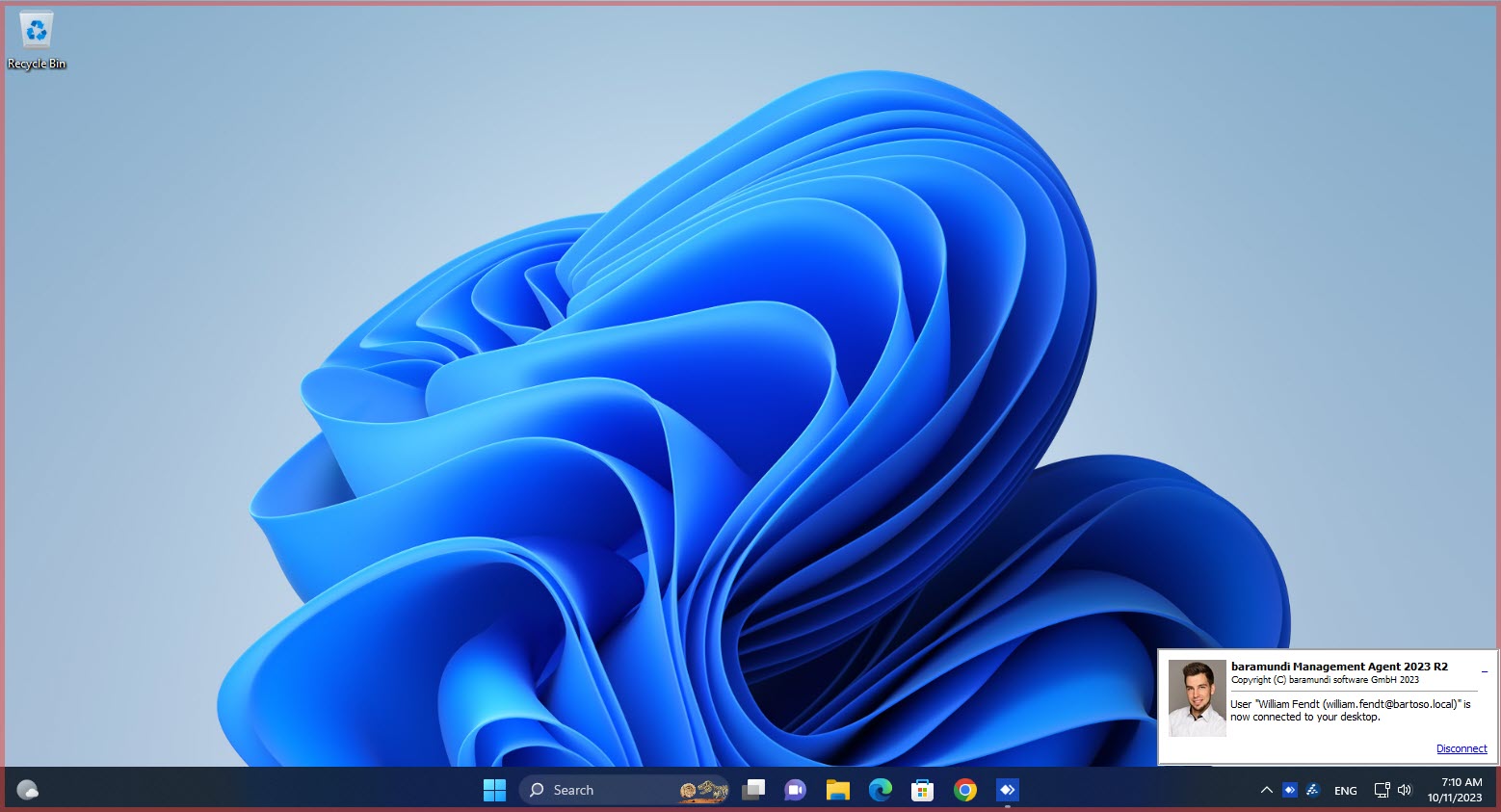
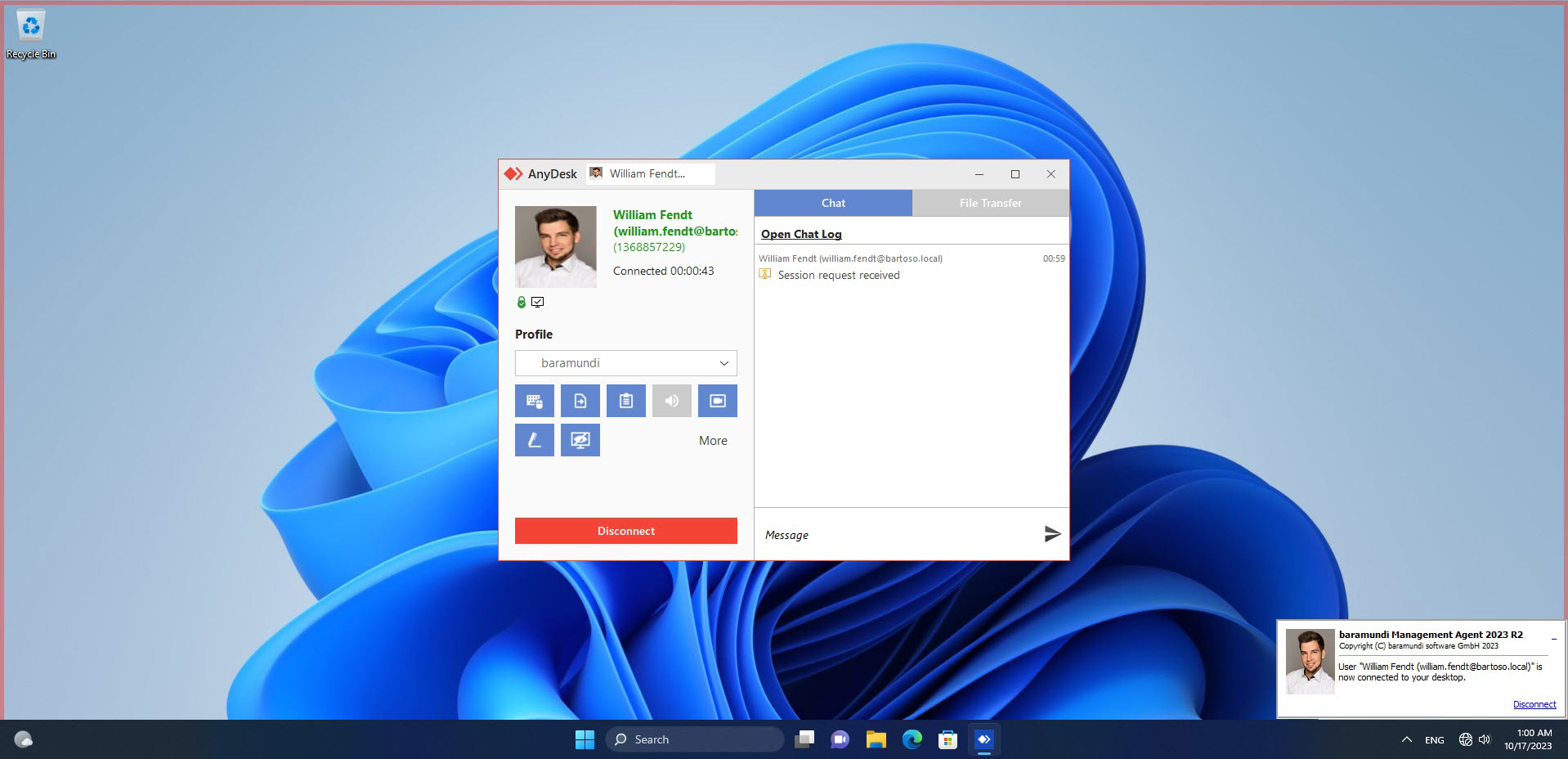
Further Features
- Remote Sessions on Terminal Servers: When troubleshooting on terminal servers, you can select and target individual user sessions
- Override: In emergencies, you can prompt Windows-end users to start a session even if their profile is in “Do Not Disturb” mode.
- Multi-Monitor Support: The end user’s view on Windows devices can be replicated 1:1 on your system, even if users have multiple monitors in use.
- Session Recording: Sessions running in Windows systems can be recorded using the integrated recording feature for later review or training purposes.
- Privacy Mode: When accessing sensitive files or during password entry in Windows sessions, a Privacy Mode can black out the end user’s screen for added security.
- Chat Function: In addition to phone or Teams, you can communicate directly with end users via the integrated chat feature.
- File Transfer: The remote access tool includes a powerful file transfer capability, allowing admins to easily move required files to the target system.
- Cross-platform support: Remote access service to Windows, Android, and iOS devices – with transparent control and system-compliant security.
Do you wish to try out the baramundi Management Suite?
Request now!
FAQ: Remote Access Service
What is Remote Access Service (RAS)?
What’s the difference between Remote Access Software and VPN?
What is the difference between Remote Control and Remote Desk at baramundi?
How secure is the Remote Access tool for companies?
How does remote maintenance of mobile devices differ from that of Windows PCs?
What requirements must be met for remote access solutions to work on mobile devices?
ISO 27001: Certified Information Security
baramundi is ISO/IEC 27001 certified, the globally recognized standard for Information Security Management Systems (ISMS).
This certification confirms that baramundi meets the essential requirements for the systematic protection and secure management of sensitive information, including both customer and company data.